Turn code into a 16:9 snippet image
Paste code, pick a design, add instructions and annotations, then generate. Format with Prettier. Import from a file or your gists. Sign in required.
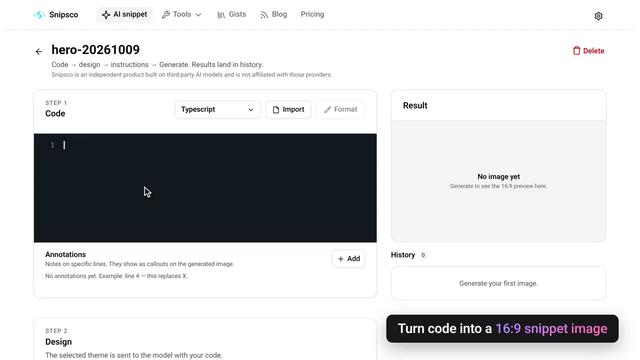
From code to a shareable image
Paste or import
Drop in code, upload a file, or pick a gist. Prettier formats supported languages on paste.
Design and notes
Choose a theme, add short instructions, and mark lines so the image can show callouts.
16:9 result
Generate a snippet image, keep history in the project, then download or share.
Free vs Pro
Free for daily AI snippets. Pro removes the watermark and raises the daily cap.
Free
Try AI snippet generation
$0
- 5 AI images a day
- Small snipsco.com watermark
- Standard queue
Pro
For people who generate every day
$6/mo
- 100 AI images a day
- No watermark
- Priority queue
Questions
Paste or import code, pick a design, add optional instructions and line annotations, then generate a 16:9 snippet image. Prettier formats supported languages on paste and from the Format button.
Yes for AI snippet. Sign in to create a project and generate images. The SVG and HTML converters still run in the browser with no account.
Yes. Upload a text file (about 100 KB) and the language is detected from the extension, or pick one of your Snipsco gists. Imported code is formatted like a paste.
SVG Code to Image and HTML Code to Image turn markup into PNG or JPEG in your browser. Nothing is uploaded.
Free is 5 AI images a day with a small watermark. Pro is $6/month or $48/year for 100 images a day, no watermark, and a priority queue.
The canvas route still works if you have the link. Snipsco now leads with the AI snippet tool instead of promoting the canvas.