Turn HTML into a PNG or JPG
Have HTML and need a picture of it? Paste the code, preview the rendered result, and download a PNG or JPG in your browser. No upload, no sign-up.
Paste code, pick a language and theme, and download a clean PNG of your snippet. Free 1x export with no account. Steps, tips and FAQ.
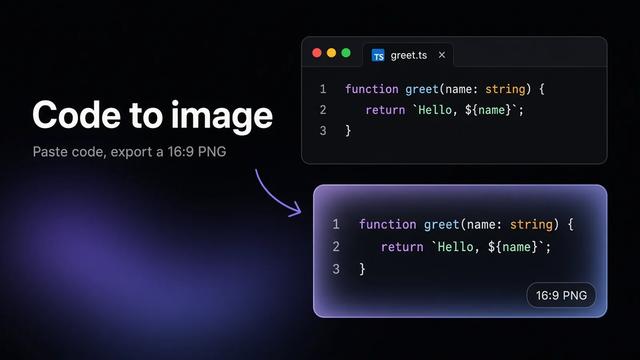
To turn code into an image, paste it into the Snipsco code to image tool, pick the language so the syntax highlighting is right, adjust the look, and download a PNG or copy it to your clipboard. The 1x PNG is free and you don't need an account. If you need sharper images for slides or print, Pro adds 2x and 3x exports for $6 a month or $48 a year.
Below: why a code image beats a raw screenshot, the steps, tips for a readable result, and a short FAQ.
Code pasted as text gets mangled in a lot of places. Social posts strip indentation, slide tools change fonts, and chat apps wrap long lines. An image keeps the code exactly as you formatted it, with highlighting.
Common uses:
A plain screenshot of your editor works, but it brings your tabs, sidebar, line wrapping and whatever theme you happen to use. A code image tool gives you just the code, framed and consistent every time.
Choosing 2x or 3x asks you to sign in and upgrade to Pro. 1x stays free.
Cut the snippet down. Remove imports, logging and anything that isn't the point. People scrolling a feed give a code image a few seconds.
Fix long lines before exporting. A wide image gets scaled down on phones until the text is tiny. Break long lines by hand, around 60 to 80 characters.
Use a dark or light theme on purpose. Dark themes look good in most feeds. Light themes often print better and work on white slides.
Mind the padding. Some padding around the code makes it look finished. Too much wastes space and shrinks the text when the image is resized.
Export bigger for slides and retina screens. A 1x image is fine for most posts. For a projector, a 4K monitor or print, 2x or 3x keeps the text crisp.
Add the code as text too. An image isn't searchable, and screen readers can't read it. In a blog post or README, put the real code in a code block next to it, or link to a gist. On social, write a short alt text that says what the code does.
X and LinkedIn: both crop tall images in the feed, so a wider, shorter snippet shows more code before someone taps. Add alt text describing what the code does.
Slides: export at 2x or 3x so the text stays sharp on a projector, and use a theme that matches the deck background.
READMEs and docs: use the image for a quick visual summary near the top, then show the real code in a fenced code block so people can copy it.
| Option | Good for | Downsides |
|---|---|---|
| Code image | Social posts, slides, consistent look | Not copyable or searchable |
| Editor screenshot | Quick internal sharing | Shows UI clutter, inconsistent sizing |
| Embedded code block | Docs and blogs | Not supported on most social apps |
For most sharing, a code image plus a link to the real code covers everything.
silicon render code to PNG from the terminal, which works well in scripts.For a one-off image, a browser tool is the fastest of these.
Is it free to turn code into an image? Yes. You can download or copy a 1x PNG for free, with no account.
What does Pro add? 2x and 3x high-res exports. It costs $6 a month or $48 a year.
Which languages are supported? Pick the language from the picker in the editor. It controls the syntax highlighting.
Why is my code image blurry? It's being displayed larger than its export size. Use a shorter snippet so less scaling is needed, or export at 2x or 3x.
Can people copy code from the image? Not reliably. Put the code as text or a link next to the image.
What format is the image? PNG, which keeps text edges sharp.
Have HTML and need a picture of it? Paste the code, preview the rendered result, and download a PNG or JPG in your browser. No upload, no sign-up.
Got SVG code and need an actual .svg image? Save the markup as a file in 30 seconds, preview it in your browser, and export PNG or JPG if you need one.
Snipsco turns code into images, free at 1x. Pro adds 2x and 3x.
Paste code, pick a design, and export a 16:9 image.